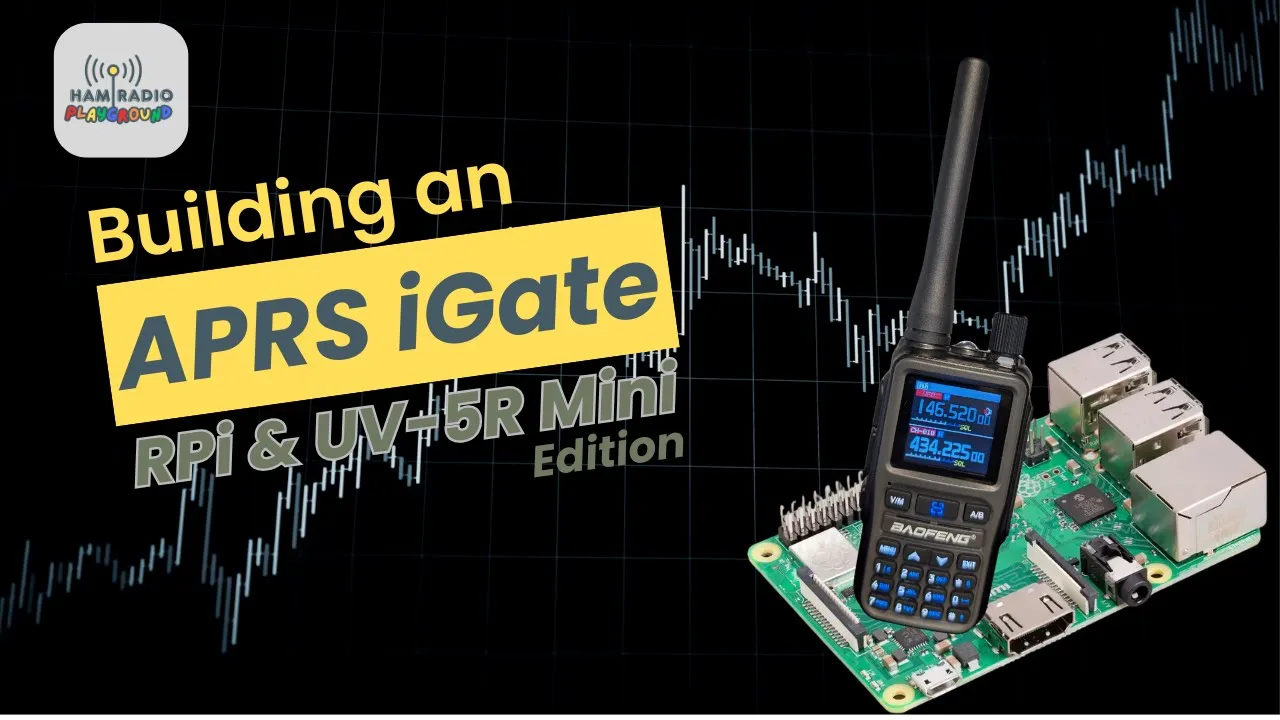
A Pi and a UV-5R Mini, and the job is an APRS iGate. The Pi is a 3 B+. More than the job needs. He has several, so this one gets used. A Pi Zero W would be enough if he were buying. Power is USB. The card already in the Pi is 128 GB. He would start at 16 GB. A 64 GB card is on the desk and he leaves it alone, because he does not know what is on it. The radio is one of the two minis Radioddity sent. Any other radio works if the cable matches.
The Audio Path
He owns three programming cables. None of them will do this. They have no audio chip. The cables that do cost more. A USB sound card is the cheap version, a dongle with in and out, the chip in the plastic, often next-day. A Digirig or a Digirig Mobile is the same idea with two ports. Serial programs the radio. Audio is the sound card. Only the audio cable goes to the radio. The pair is black and green. Black into the black jack. Green is the wrong port, and the radio will not see what you think you sent. A SignaLink works too. All of these plugs, on a Baofeng, are the Kenwood style.
The rubber duck may not be enough where you are. He uses an antenna that came with another radio for the demonstration, and an outdoor antenna with coax to the handheld is the other option. Ethernet is the more reliable network. The demo is Wi-Fi. The Pi is already in a case.
An iGate takes packets off the air and puts them on the internet, aprs.fi and the rest. People use it for location. There is messaging in it, and a tactical use if the phones are down. A mini on a backpack still needs a GPS. The UV-Pro has one. You can build a tracker. Someone gets lost, you look up the last point. This build is receive-only, which is where he wants a beginner. At the end of the guide he shows the edits that turn it into a digipeater. The written steps are a free download in the description.
The Handheld
On, and on 144.390. That is the APRS frequency he is using for North America. Menu, radio settings, item 2, squelch, level 1. Level 2 is the other acceptable answer. Low, so a weak packet is not dropped. Volume about halfway. He will come back to it. Tones off, CTCSS and DCS. While he is in the menu a packet comes through. He bets it is the UV-Pro in the other room, near the window, with a GPS lock. Wide FM, 25 kHz.
He uses the Digirig. Black cable, black jack, USB into any port on the Pi. The USB lead he grabs is white and it bothers him. Volume down, flap open, Kenwood plug seated until it clicks, volume back to halfway. The audio is in the cable now. Stock antenna first. The bigger one later. The SD card comes out. The writer is a USB stick that arrived with a 3D printer, or with something else he bought. A slot in the PC is the same job.
The Card
raspberrypi.com, the Imager. Cookies, download, run it, English, accept the license because refusing means you do not get the program. Default folder. No desktop icon. He likes the desktop clean and does not claim the rest of the room is.
Device is the Pi 3. The OS choice is the one he does not want guessed. Pi OS Lite, 64-bit, under the other-OS list. Headless. SSH in. No desktop. The full 64-bit image is there if you want one. Storage is the only device that appears. Next, and then edit the settings before it writes. Skip this and you may not get in without a monitor, or you reflash.
He sets a hostname, a username, and a password. The password almost faces the camera. He catches it. Wi-Fi fills in from the PC he is imaging on. Set it here if you are not on Ethernet. Otherwise you need a keyboard and a screen, or you pull the card and do it again. Country US. Outside North America, the radio frequency he gave does not apply. Locale New York, keyboard US. SSH on, password login. Keys are possible and he is not teaching them. The Pi sits behind a firewall. He is not worried about someone stealing APRS traffic. Eject, telemetry, and the finish sound are optional. Save. Apply the settings. No means the install is generic and the work is gone. The card will be erased. Do not use one you care about.
The write is sped up. A verify can fail. Run it again. He says that happens. Card back in the Pi. The first power cord he grabs is the wrong one. He cannot tell if the board is on.
Give it a minute. PowerShell, SSH. If the name is still the default, it is raspberrypi.local. His is not. The name does not resolve. He leaves the failure in the video. Check the router for the address, or use HDMI. He already knows an address from the last time this Pi was online, and that SSH works. Then the name works too. He had not waited long enough. Yes to the new fingerprint. The imager password. He is in. A default pi account should get a new password. His does not need that step.
The image might be months old. sudo apt update refreshes the list and does not upgrade anything. It finds 58 packages. sudo apt upgrade -y so it does not stop to ask. Then sudo reboot. A kernel change waits for a boot. He waits longer than the edit will show, arrow-up, SSH, password.
Direwolf
The next install is the compiler pieces Direwolf needs, GPS tools, and sound tools. Paste is a right-click in this window. He is drinking unsweetened iced tea and narrates it. The paste breaks. A library on the second line of the guide did not ride along, so he installs that one alone. Watch the screen. A leftover library can come off with autoremove. He forgets -y and has to answer yes.
Fixed and receive-only, you can skip GPS and type the location. Mobile, you want a dongle. He installs the GPS packages anyway so the dongle is a config change later. Sound utilities after that.
Direwolf is the TNC. It decodes the packets and it is the iGate, out to the APRS servers and back. Home directory. He is not sure what the tilde is called. Git, so a later update is a pull and a rebuild instead of a package he does not have. Into the Direwolf directory, make a build directory and enter it in one line, cmake, then make with four jobs. He will not make you watch the compile. make install puts it on the system so a service can start it after a power cut. The config file lands in the user directory.
direwolf -v is red on white. Not a failure. Version 1.8.1, November 2025. The guide asked for 1.7 or later. The rest of the print is the command list. He does not expect to run those by hand once it is a service.
Levels
aplay -l. The Digirig is a USB audio device, card 1, device 0. Card 0 is the headphone jack on the Pi. Do not use it. HDMI audio can appear and trade numbers with the USB card. If Direwolf is silent later, list the cards again before you touch anything else.
alsamixer opens on the headphones. F6, device 1. F3 is playback, F4 is capture, F5 is both. Speakers up to about 70 or 80 percent. He stops on 73. The mic shows muted. Receive-only, so he leaves it. Auto gain off. Capture is at 41. He takes it to 60. Escape stores it.
The guide has a test recording, arecord pointed at the card and device, a wav file, play it on the Pi or pull it off with FileZilla. He skips it. Too much. If it is quiet, raise the mixer. If it is hot, lower the radio or the mixer. If it is nothing, the card number is wrong.
The Config
An APRS-IS passcode is not a secret. Any of the generators, any call you type, the same number every time. It is how the server checks that the login matches the call. He types his, KE2DFQ. The page gives him 19634.
nano on the Direwolf config. Do not paste the sample over the file. The comments are how you fix it next time, and the call, the card, and the location are yours. Uncomment the audio device and set card 1, device 0, written the way the file wants a pair. One channel.
The call is KE2DFQ-10. He reads the SSID list aprs.org publishes and treats it as a recommendation. Zero is the main fixed station. One through four are extra stations. Five is other networks and phone apps. Six is whatever you mean by special. Seven is the usual handheld. His UV-Pro is a 7. Eight can be a boat, an RV, or a second mobile. Nine is the main mobile. The Yaesu in the truck is a 9. Ten is an iGate, or Echolink, or Winlink. Twelve is where he puts one-way trackers. Thirteen is weather. Fourteen is a truck that lives on the road. Fifteen is another extra. He jokes about higher numbers. The log, later, warns that 99 is outside 0 to 15. He still says the list is not a rule.
Modem 1200. That is the common one on VHF and UHF. Push-to-talk gets filled in even though this iGate will not transmit, so the file is ready. A digipeater needs a test that the radio actually keys. Some radios want VOX instead.
North America, the round-robin APRS-IS name, uncommented. It will walk servers until one has a slot. A refusal is not your radio. The login is KE2DFQ-10 and 19634. A wrong code and it will not enter.
He skips ahead, then goes back to the beacon. The examples failed him before. Decimal degrees went out and the servers did not take them. Degrees, minutes, and seconds. A coordinates site, ads, and a pin that is around the corner from the building rather than in it. He is not using that pin. The numbers in the written guide came from a GPS. Close enough, and aprs.fi will show you if you need to nudge them. The PDF wraps the beacon onto several lines. He pulls it back to one.
Send the beacon to the internet gateway. Nothing on the air is advertising this station, and he still wants the icon. A one-minute delay lets it find a server first. Sometimes the beacon still leaves early and you wait for the next cycle. He had 30 minutes. For the video he wants it now, so the delay is zero and the repeat is five. Symbol is an iGate. Overlay is R, receive-only. A digipeater gets the digipeater symbol. S is the letter he sees a lot. An iGate that also transmits can wear a T.
aprs.fi, the map near him. A black diamond with an R is the picture he just configured, below the airport. Weather stations, a green star for a digi, a tower, a truck for the mobile, a runner for the handheld. The official symbol chart is the list. Power on the beacon is 5 watts. Height and gain are in the line even though the antenna is a duck on a handheld. The comment is “ham radio playground i gate”.
Search the call and the old stations are already there. The truck. An iGate, because the card he just wiped had been an iGate and he rebuilt it for the camera. A -2 DigiPi with no packets for 260 days, an hour, and 7 minutes. The truck was heard almost five hours ago. The clock says 12:44. He has been at the office about that long. The handheld was heard an hour and 39 minutes ago, which is when this iGate stopped existing. The building is metal in the ceiling and the roof. His phone misbehaves in it. N2RD, higher up and a long way off, sometimes still hears the handheld. Other comments on the map say whatever the owner typed. One he clicks is powered by WPSD. Another lists height, gain, omnidirectional, and a range of about 8.9 miles.
The filter is next, under the gateway login. Packets from the internet, not from the radio, inside 500 kilometers. It will flood the console. If you are not digipeating, that is all it does. Zero, ten, five hundred, a thousand, or leave it out. Direwolf will warn that the filter is an expert option. He highlights with the mouse, types, and the old characters stay. He deletes them.
AGW on port 8000, so a client on another machine can attach. A KISS port for other software. GPSD stays commented. Uncomment it and restart if this Pi grows a GPS and goes in a car. Control-X, save, same file.
The First Connection
direwolf pointed at that config, once, before it is a service. The filter warning points at a Direwolf PDF. Card 1, channel 0, 1200 baud. AGW clients and KISS clients can connect. A pink line is his beacon, and he is not on a server yet. Failures scroll by, IPv6 and IPv4. Full, or down. The North America name tries the next. It lands on 144.184.136.10. The status link opens on a server in Alberta. The feed has been full. His station is listed, heard, password verified, Direwolf 1.8, filter 500. Other stations on the same server include people who never edited the sample. N0CALL is the tell.
Traffic marked from the gateway is internet, inside that 500 kilometers, not the radio. An SSID of 99 draws the 0-to-15 warning. His beacon string looks wrong to him. Refresh the map anyway. The iGate is there. It was not, a minute ago. The site says 4 watts. He configured 5. It also shows gain, omnidirectional, and a range of about 3.4 miles, which means it has already heard someone. The pin is the right place. Last heard a few minutes ago, via Alberta. Three positions stored, one radio path, 15 packets on that path. The handheld in the list was heard yesterday. History, not this session.
He starts the monitoring script plan and goes to get the other radio. The second mini, Thunder, is on the APRS frequency so he can hear the tones. The UV-Pro is the one that should be received. He keys it beside the Pi. Direwolf dies. The board did not like the RF. He clears the screen and keeps going. Volume on the iGate radio almost all the way up. He has had Direwolf complain that the audio is too hot at the only level where it actually copies, and go quiet when he turns it down to make the warning stop.
He restarts. More failed servers. He leaves them in. Vancouver this time. Five minutes between the first try and a login. He forces a packet, hears the tones, and the log fills with garbage from the hand key. Then a real decode, with the too-hot warning, and the packet is there. Control-C.
Left Running
A new service file. Empty. He pastes the unit from the guide and fixes a line the PDF wrapped. The user is not pi. The directory is not pi’s home. The config is not in pi’s home. Leave those and the service cannot read the file. Reload, enable, a link appears, start. Status says active. Not failed. The tail of the log is already a gateway and traffic. He quits the status view.
Live logs, or the last 50, or since boot. He follows live. He cannot see which server and does not care while packets are arriving. The map still does not show a fresh handheld. The UV-Pro goes back to the window. BTECH’s radio will not send APRS with no GPS fix, and the office eats the signal. He will not reboot to prove the service survives. He has been recording about two hours. The edit will be shorter.
htop. Direwolf is in the list. Leaving that view does not stop the service. top is the older, plainer one. Updates, when he wants them, are a git pull, a rebuild, make install, and a restart of the service, plus the Direwolf notes if the config has to change. The OS update is the same apt pair as the start, then a reboot. df -h for the card. The space is split across partitions. Logs can be limited to the last hour or the last few days. The config can be copied off with scp. Change the username if it is not pi.
The stats script is bash, a header, the service, the last 20 packets that came off the radio, and the uptime. He makes it executable. Line 10 is not found. Another broken wrap from the PDF. Fixed, and the handheld is not in those 20 lines. He raises it to 200 and still does not see it in that window. A filter on the log for his call, last hour, shows the beacons, the too-hot warning, and a packet whose comment is the playground name and 7.9 volts. That one is about 25 minutes old, and it is the transmission he heard.
The map has both. Zoom in and they sit on different sides of the building. The hard-coded iGate is one. The GPS in the window is the other. Neither is exact. The window one is closer, pulled by the angle of the sill. The handheld was heard by the -10. Four minutes ago on the info page, a clean path. W2CM-10 is on it too, a local club, the green star, so a digipeater.
That is the iGate. Comments if yours copied, if you needed a bigger antenna, if the radio was not a mini.
If It Should Transmit
Temperature and CPU monitors are in the guide. GPS means uncommenting GPSD and restarting both services. The digipeater is the larger change, and he describes it instead of doing it. Stop the service. Run the config by hand and test PTT. Digirig is a CM108, and so is a programming cable that actually has the chip. SignaLink is set differently. Pin 23 if you key from the Pi’s GPIO. When it keys, enable digipeat. Start with WIDE1-1. Add the wider matches from the guide only after that works. Overlay S, or L if you cover a lot of ground. Comment can say digipeater. Drop send-to-internet if the beacon itself should be on the air. Restart, confirm the map, and read the section on duty cycle and on not running one. The troubleshooting table is the issues, why, and what to try. Five to ten minutes before a good station shows up. A wrong file, and it never does.
His prices are estimates, and most of the pile was already his. A Pi at about $35 to $40 if you buy one. He would buy the Zero W. A Pi 4 if you want. A Pi 5 is wasted. An SD card from a dollar into the hundreds. The CHIRP cable had no audio chip, which is why the Digirig is in the video. A Digirig, if you need to buy it, about $60 or $70. He has several. A USB sound card around $10, and the guide says eight. Hamfest, Marketplace, closeouts, eBay. A phone charger and the right lead. A case around $10, or print one. An antenna at $25, $30, $50, $100, or a 2-meter antenna you already have, or the coat-hanger build.
Urban, stock antenna, he puts the range at 5 to 15 miles. Suburban and elevated, 15 to 30. Rural, elevated, a good antenna, 30 to 50. Quiet air, 10 to 15 packets an hour. Busier, on the order of 50 to 200. He starts to say 500 and corrects it. A busy channel, 200 to 500 an hour. A Pi 3 or 4, about 5 to 15 percent CPU and 50 to 100 megabytes. The network side is kilobits an hour.
Receive-only, no license. Transmit, you need one, and the FCC rules are the operator’s. No warranty. He is not selling the parts. If you damage a radio or transmit without a license, that is not on the guide. The site discussion he mentions is not built yet. The changelog is notes on the PDF. He has been at it long enough that the close is the same one as the short videos, plus a request for the reason if you vote it down.
Transcript
A Pi 3 B+ and a UV-5R Mini, receive-only APRS iGate. A Zero W would do. USB power. The card in the Pi is 128 GB. He wants 16 GB up and will not overwrite a 64 GB card he does not recognize. Any radio, if the cable is right. Three programming cables, no audio chip. A USB sound card, a Digirig, or a SignaLink. Digirig audio is black into black, then the Kenwood plug. Serial is for programming. Stock antenna first. Wi-Fi for the demo. Ethernet is steadier. The guide is linked in the description.
An iGate puts packets on the internet, aprs.fi and the rest. Location, messaging, a last position if someone is lost. The mini needs a separate GPS. The UV-Pro has one. 144.390. Squelch 1. Volume about half. No tones. Wide, 25 kHz. A packet arrives. He thinks it is the UV-Pro by the window. Digirig to a USB port, plug clicked in, volume back up. SD card out. A USB writer. raspberrypi.com, the Imager. Pi OS Lite 64-bit. SSH, no desktop. Hostname, user, password. Wi-Fi from this PC. Country US. Locale New York. SSH with a password. Apply, erase the card. A failed verify means run it again.
Boot, then SSH. The name fails. An old address works. The name works after he waits. Update finds 58 packages. Upgrade -y. Reboot. Build tools, GPS tools he may not need, sound tools. A wrapped line from the guide has to be installed alone. Autoremove. Direwolf from git, cmake, make -j4, install. direwolf -v is 1.8.1, November 2025. The red text is the help.
aplay -l. Digirig is card 1, device 0. Not the Pi’s jack. HDMI can swap with it. alsamixer, F6, device 1. Playback to 73. Capture from 41 to 60. Auto gain off. Mic left muted. He skips the test recording.
Passcode generator, KE2DFQ, 19634. Not a secret. Edit the config. Do not paste the sample over the comments. Device 1,0. One channel. KE2DFQ-10. He reads the SSID recommendations. His UV-Pro is -7. The truck is -9. Ten is the iGate. Modem 1200. PTT filled in for later. North America servers. Login and 19634. Decimal coordinates failed him before. Degrees, minutes, seconds, one line. Send to the internet. Delay zero and every five minutes for the video. He had been at 30. Symbol iGate, overlay R. Five watts on the beacon, a duck on an HT, comment “ham radio playground i gate”. The old iGate on this card is why the call already shows. A DigiPi has been quiet 260 days. The building blocks the handheld. N2RD sometimes hears it. Filter m/500. AGW on 8000. A KISS port. GPS commented out. Save.
Direwolf starts, warns about the filter, fails several servers, connects to 144.184.136.10 in Alberta. Password verified. The map shows the iGate, 4 watts against the 5 he set, range about 3.4 miles. The handheld hit is from yesterday. Keying the UV-Pro beside the Pi crashes Direwolf. Volume almost full. Direwolf says too loud at the level that decodes. Next server is Vancouver. A hand-keyed packet is garbage, then a real one. Control-C.
A systemd service, username and paths changed off pi. Enable, start, status active. Logs flow. He does not reboot to prove it. About two hours recorded. htop shows Direwolf and leaving htop does not stop it. Updates are git pull, rebuild, restart. df -h. A bash stats script breaks on a PDF line wrap. The log filter finds his handheld, 7.9 volts in the comment. The map puts the iGate and the GPS on different sides of the building. Heard by the -10, and by W2CM-10, a club digipeater.
Digipeater settings stay in the guide. Test PTT first. CM108 for the Digirig. Pin 23 for GPIO. WIDE1-1 first. Overlay S or L. Five to ten minutes to appear. Receive-only needs no license. Costs, if you buy it all, are his estimates: a Pi around $35 to $40, a Digirig around $60 to $70, a sound card around $10, a case around $10. Ranges he quotes run from 5 to 15 miles in town on the stock antenna up to 30 to 50 rural and elevated. No warranty.
Frequently Asked Questions
What did the radio have to be set to?
144.390, the North American APRS frequency. If you are not in North America he says change it. Squelch at 1, or 2 if you must. He uses 1 so weak packets get through. Volume about 50 to 60 percent until the decode says otherwise. No CTCSS, no DCS. Wide FM, the 25 kHz bandwidth. A packet arrived while he was still in the menu. He thinks it was the UV-Pro by the window.
Why did the first SSH fail?
The name would not resolve. Either the Pi was not up or the network had not published the name. He already knew an address from the last time this board was on the LAN, and SSH to that address worked. He waited, tried the .local name again, accepted the fingerprint, and used the password from the imager. Default user pi would need a password change. He had set his own. sudo apt update, then upgrade -y, then reboot, because a kernel change does not apply until then.
What does he change to make it a digipeater?
He does not do it on camera. Stop the service, run Direwolf by hand, and prove the PTT. Digirig PTT is the CM108. A programming cable with that chip is the same. A SignaLink is a different setting. GPIO is pin 23. Some radios only have VOX. If it keys, turn digipeat on, starting with WIDE1-1, then the wider aliases in the guide. Symbol to a digipeater, overlay S for small or secondary, L if the coverage is wide. Take send-to-internet off the beacon if the beacon should go out on the air. Restart and look at aprs.fi. The guide also has duty cycle and when not to digipeat. A station can take 5 to 10 minutes to appear. A bad config never appears.