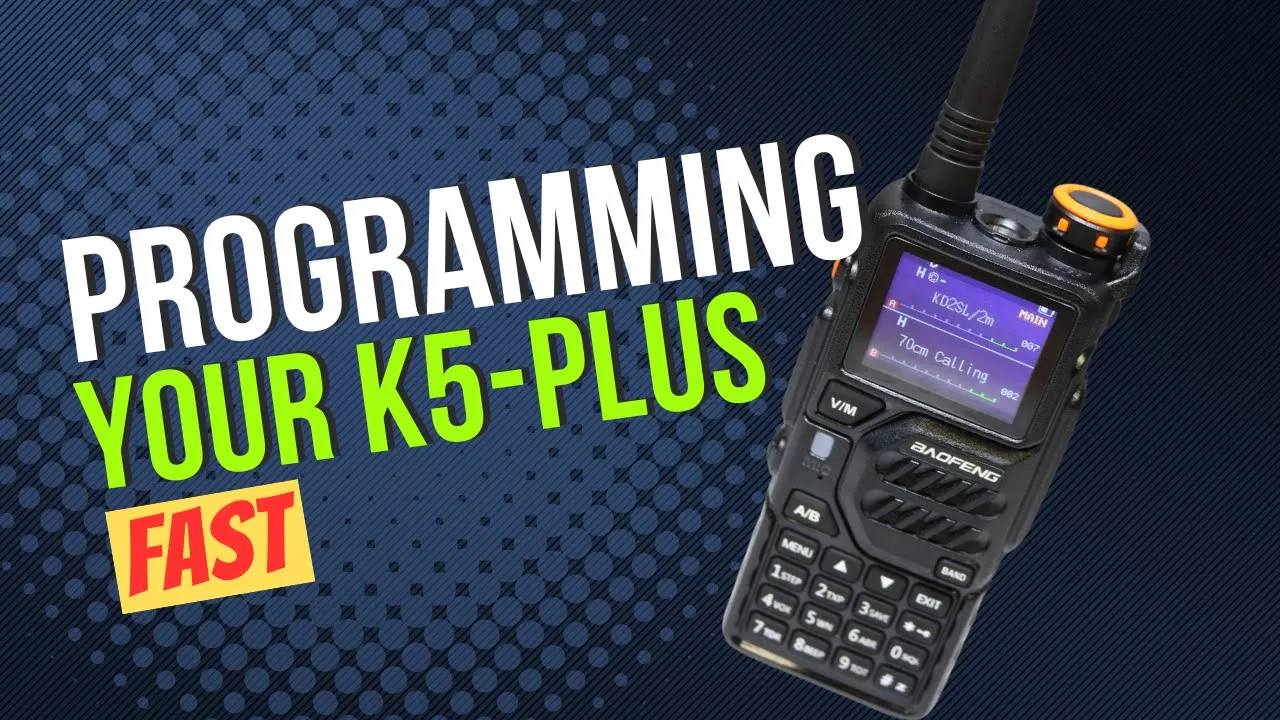
The K5 Plus review is already done. This one is CHIRP, a programming cable, and a memory list aimed at Hamvention the next week. He still calls it about a $30 radio, triband, 1.25 meters, 2 meters, and 70 centimeters, with airband and FM broadcast receive and a flashlight. Radioddity sent it. He is thinking about buying more, because the UV-5Rs he already owns do less, and at this price he can leave one in a vehicle or a bag instead of remembering to move it.
The long antenna is the triband one. The short rubber duck is 2 meters and 70 centimeters. He takes the long one off for the video so it is not in the way of the jack.
The Argument, Then the Download
He uses “dinosaur” for the operator who objects to CHIRP without having looked. The version he keeps hearing is that you do not know what the software puts on the computer. His answer is that CHIRP is free and open source, so the code is visible, and a closed programmer you paid for is not. He owns some of those paid packages. He does not enjoy them. He also says CHIRP is not the right tool for every radio. DMR and similar radios often want their own codeplug software. The example in his hand is a Radioddity DB25-series radio. He programs that one with the software that came with it. CHIRP’s supported list showed a DB25G. The set he was holding was not the one on that list.
CHIRP runs on Windows, Mac, and Linux. The Linux build he points at is the Python 3 version. The site is chirpmyradio.com. The download page says it is free, and the supported-radio list is on the same site. He scrolls far enough to make the point that it is not only the cheap radios. Kenwood, Icom, and Yaesu are in there. Not every model. His FT-897 is listed. He owns RT Systems software for it and does not think he has actually used that package on the 897. The Icom 2730A he has programmed and cloned with RT Systems is also on the CHIRP list. He has two of those and talks about wiping one later to see what CHIRP does. In the same stretch he says 2738. The IC-7300 is on the list too. He does not open it.
Get CHIRP Next. The site detects the computer. His highlight is the Windows installer. Mac is on the page. Linux is the Python 3 build. He already has the program.
Plug the cable into the computer first, not the radio. Right-click Start, Device Manager, Ports. When the USB end seats, the list refreshes. His is COM 3. A new cable may need a driver. This computer already has it. If the port is a guess, unplug, watch which COM disappears, plug it back in, and use the one that returns.
In CHIRP he goes to Radio, Download from radio. The window remembered COM 3 from last time. A blank box means you pick the port, then the vendor, then the model. The model is K5 Plus. Choosing it warns that the driver is experimental, a beta, and asks him to accept the risk. He does. It is a $30 radio.
The next instructions are on the dialog. Radio off. He opens the speaker-mic cover and fits the Kenwood plugs. The two ends are different sizes and only fit one way. Push until it clicks, then push again. Radio on. You will not hear it. Speaker audio is going down the cable into the computer. Then OK, which starts the download. The screen gets an icon. The transmit and receive light flashes until the read finishes, the radio drops back to normal, and CHIRP shows whatever was in memory. Those are the factory channels. The settings tab is the same menu he did not want to fight on the keypad: squelch, timeout, dual watch, power-on type, logo, text or call sign at power-on, English voice prompts, autolock, beeps, Roger beep, whether channel A shows frequency, channel number, or name, alarm, key lock, work mode, VOX, and whether FM broadcast is disabled.
He leaves the FM radio enabled. The reason is a UV-5R, not this K5. About a year earlier they broke down on a road trip in Georgia, in summer heat, waited for AAA in a gas-station lot with camping chairs and a couple of USB fans that had their own battery banks, and listened to FM on the Baofeng that happened to be in the bag.
Work mode can lock the VFOs to ranges. He is not spending time on that, or on DTMF.
Building the List
Twenty-one factory channels. He shift-clicks the first and the last, right-clicks, and deletes all 21. A screen flicker after that was him clicking the web page, not CHIRP.
You can type memories. He would rather query. RadioReference needs the paid account. RepeaterBook is the other source he actually uses. He runs RadioReference with his home zip, 13212. The results open on their own tab, beside the K5 image. Water authority, the zoo, events, fire, school buses, some ham repeaters, airport. The ham rows include 10 meters and 6 meters. This radio does not support those, and he is not loading the public-safety list onto it. Hamvention is next week. He wants talk-in.
RepeaterBook: United States, amateur service, New York. He skips latitude and longitude. You can enter them and limit the distance. He limits the bands to 2 meters, 1.25 meters, and 70 centimeters, because that is what this radio transmits. Mode is FM. It does not do the digital modes. He does not restrict the pull to repeaters only. With no location filter, the tab is the whole state. A Brooklyn repeater is five or six hours from Syracuse. He is not going to hear it on a handheld. He still copies one row, a split with nothing else filled in, so the paste is visible. Memory 9 on the K5 image. Right-click, paste. Tone type, tone squelch, offset, power, and the comment come with the row. He does not read that frequency out in a way the caption kept.
The talk-in list is a web page for 2025. He is apologizing for the camera while he does it. They do have 1.25. He puts the main talk-in in, then has to fight the name field, which clips. Tone squelch opens a list as soon as he chooses that tone type. He says the offset is 600. One repeater is a positive 600 instead of a negative 600, and CHIRP flips the duplex to plus when he enters it. He pastes a comment so he can tell what the channel is later. Dayton and Columbus go in because he will drive through there. Several of those frequencies are only half-visible in the caption, so they are not repeated here. The part that is clear is the method. The sheet had the tone, the offset, and the direction. He did not calculate the split himself.
He adds a 1.25 and a 70 centimeter he intends to use, starting back down the memory list around 15 after an earlier note that he had been filling from 10. He is not loading the Beavercreek side or Huber Heights for the days of the show. He knows the area he is staying in and the roads he will be on. He might get up to Huber Heights to see a friend. Not for the show itself. One 1.25 row he liked is a negative offset. He reads a group name off the sheet and is not sure he has it right. A duplex sign comes in positive when he thinks it should be negative. He types the correction. Comments are optional. The name field is what the radio can display instead of the frequency, once the setting is on.
A channel linked to their 6 meters gets in even though he does not know where that transmitter sits relative to the trip. He would rather have it and hear nothing than find out later that the traffic was there. He sets the tone to 131.8. He starts to say 5 meters and corrects it to 6.
Empty rows above those are for the national weather frequencies. He puts one in, names it WX, no tone, low power, receive. He says he is not going to transmit on it. The radio also has a weather mode he could have used instead. The calling frequencies are the other block, the ones that show up on license exams. He goes to the league’s chart because he wants the whole set. Two meters is the one they list as a single channel. He reads a figure the caption garbles, so it is not printed here. On 1.25 he says there isn’t a calling frequency in the FM simplex sense he was looking for. It is a span, and he is not on 1.25 often. Seventy centimeters he also reads off the chart, and that figure is garbled too. He stops adding.
Ham Radio 2.0’s meetup frequencies are not published yet. He expects them on the Sunday live stream and plans to type them Sunday night or Monday.
Upload
He saves under Documents, a filename for the K5 Plus and Hamvention. One more pass through settings. He switches the display to name and saves again. He closes the RepeaterBook tab and the RadioReference tab.
Radio, Upload to radio. COM 3. The same instruction dialog. A checkbox suppresses it the next time this radio is used. A different model will probably ask again. The K5 is still on. He says that is fine, because the transfer has not started. Cable already in. Radio on. OK. A green light, a progress graphic, cloning, reboot. He unplugs, turns the radio off, turns it on. Welcome, frequency mode.
Channel mode is the part he likes. This radio will put one VFO in frequency mode and the other in channel mode. The other handhelds he has used switch both VFOs together. He has not had much time outside with it. It has been raining, and the clear days were busy. The screen blanks on him once and he has to go looking. Seventy centimeter calling and simplex are in there, the weather channel, and the local 2-meter repeater with the name showing and the frequency under it. He keys that repeater. Green light. No squelch tail. He tries again and identifies as KE2DFQ. Then he scrolls. The memories he added are there.
He ends on the same price. About $30. Radioddity sent the radio. He does not want to hear that the hobby is too expensive.
Transcript
He is programming the Baofeng K5 Plus, the radio from the review. Triband: 1.25 meters, 2 meters, and 70 centimeters, plus airband receive, FM broadcast, and a flashlight. He calls it a $30 radio, useful in a go bag, and cheap enough that dropping it is not a crisis. He may buy more. He already has UV-5Rs and likes the extra features here. At $30 he can leave radios in vehicles and bags instead of moving one radio from pack to pack.
He needs a programming cable, USB on one end and Kenwood-style on the other. They are common. He may already own one. Do not be afraid of it. Two antennas are on the bench. The long one covers the three bands. The short one is 2 meters and 70 centimeters. He removes the long one so he is not reaching around it. The software is CHIRP, free, and it programs a lot of radios.
He stops for the objection he gets from one particular operator, the kind he calls a dinosaur. CHIRP made that person angry. You should not use it. You do not know what they put in it. His answer is that it is free and open source, so you can read what went into it, unlike a closed programmer with a serious price. He has bought some of those. They can be good tools. He does not think every radio needs one. CHIRP also has holes, and then you go get another program. DMR and similar radios are often happier in their own software, the codeplug tools. His example is a Radioddity DB25-series radio. He uses the software that came with it. The DB25 he has is not on CHIRP’s list. A DB25G is. He will show that page.
Back to CHIRP. Free, open source, Windows, Mac, and Linux. After a couple of uses it is the same few steps. The site is chirpmyradio.com. The page says it is free. The supported-radio list is there if you want to know whether another radio of yours is included. It is not only the inexpensive radios. Kenwood, Icom, and Yaesu are on it. Not every model. His 897 is listed. He has RT Systems for that radio and does not believe he has used it on the 897. The Icom 2730A he has programmed and cloned with RT Systems is listed too. He has two of them, so he could wipe one and try CHIRP. He also says 2738 in the same breath. The 7300 is on the list. He wonders what CHIRP exposes on it and does not go find out.
Download CHIRP Next if it is not installed. The site checks the computer. Windows is highlighted for him. Mac is listed. Linux is the Python 3 build. He already has the installer.
Cable into the computer, not into the radio yet. Right-click Start, Device Manager, open Ports. Plugging the USB end refreshes the list. COM 3 appears. A cable can need its own driver. This one has been used on this PC enough that the driver is there. Remember COM 3. If it is already plugged in and you are unsure, unplug it, see which port leaves, plug it back in, and use the one that returns.
CHIRP opens small. He makes it full screen. Radio, Download from radio, because the program needs to know the radio before the settings make sense. It remembers COM 3. If the port is blank, pick it, then the vendor, then K5 Plus. The model warns him: experimental driver, beta, accept the risk. He does. Thirty dollars. The dialog says turn the radio off. It is off. Open the speaker-mic cover. Fit the plugs. The ends are different sizes. Seat them until they click, then push once more. Turn the radio on. Silence is normal. Audio is going out the cable. Click OK to download. The radio screen shows an icon. The red and green light flashes until the read is done, then the radio returns to normal. CHIRP has the factory memories. The settings tab replaces the keypad menu: squelch, timeout, dual watch, power-on type, logo, text or call sign on power-up, English voice, autolock, beeps, Roger beep, channel A as frequency or channel number or name, alarm, key lock, work mode, VOX, FM radio disable.
He would not disable the FM radio. He was not stranded, but a UV-5R got used that way. About a year ago, a road trip, a breakdown in Georgia in the summer, camping chairs in a gas-station parking lot, USB fans with batteries in them, FM on a Baofeng while they waited for AAA. The radio was in a bag they had packed. Work mode and DTMF he is not going to mess with. The first edit is the 21 factory channels. Shift-click the first and the last, right-click, delete. A flash on the recording is him clicking off the web page.
If you know the channels you can type them. Otherwise use a database. Query source. RadioReference needs the paid account. RepeaterBook is the other one he uses. He chooses RadioReference and zip 13212. A new tab fills with local services while he waits. Water authority, the zoo, events, fire, school buses, ham repeaters, including 10 meters and 6 meters this radio does not support, and airport listings. He is not putting that set on the radio. Hamvention is next week. He wants the talk-in repeaters.
Back to the source menu, RepeaterBook. United States, amateur, New York. No latitude or longitude, though you can add them and cap the distance. He limits the bands to 2 meters, 1.25 meters, and 70 centimeters. FM only. Not digital. He does not limit it to repeaters only. The new tab is all of New York, because he gave it no location filter. Filtering it by hand is painful. From Syracuse he will not hear Brooklyn on this radio. Five or six hours away. He copies one row anyway, a split with the rest empty, into memory 9. Paste brings the tone type, the tone, the offset, the power, and the comment. He still has to go get the Hamvention frequencies from the browser. The 2025 talk-in page has 1.25 and a pile of area repeaters. He puts the main talk-in in. A name field clips what he types. He cuts a row so he can show the paste more clearly, then uses memory 10. Tone type was not on the snippet he was looking at. Choosing tone squelch opens the tone list. He says the offset is 600. He pastes a comment so the channel still means something later. Dayton and Columbus go in because the drive goes through there. One of them is a positive 600 against a negative 600. CHIRP changes the duplex to positive on its own. He says you do not do the math. The sheet has what you need. Several of the actual frequencies are chopped up in the caption and are not worth repeating as if they were clean.
He adds 1.25 and 70 centimeters, the main ones, not the Beavercreek side and not Huber Heights. He might see a friend in Huber Heights. Not during the show. He had been filling from memory 10 and moves down around 15 for these. One row is a negative offset. A group name on the sheet he is not sure of. Another duplex comes in with the wrong sign and he fixes it. Comments can be skipped. The name is what you can display instead of the frequency. A 6-meter-linked repeater goes in even though he does not know where it sits relative to the trip. Tone 131.8. He says 5 meters and corrects himself to 6. Blank rows above that get a national weather frequency, named WX, no tone, low power, receive only as far as he is concerned. The radio’s weather mode would also work. Calling frequencies are next, the ones from the exams. He wants the league’s list for every band. Two meters is the one they publish as a single channel. The digits he reads are garbled. On 1.25 he decides there is no single FM calling frequency, just a span of simplex, and he is rarely on that band. Seventy centimeters he reads off the chart and the caption does not keep the number. He stops.
What is still missing is Ham Radio 2.0’s meetup list. That usually shows up on the Sunday stream. He will add it Sunday night or Monday.
Save to Documents, a K5 Plus Hamvention file. He checks settings, switches the display to name, saves again, and closes the RepeaterBook and RadioReference tabs. Radio, Upload to radio. COM 3, same instructions. Check the box if you do not want the instructions every time for the K5 Plus. Another radio will likely prompt again. The radio is still on. Nothing is being transferred yet, so he leaves it. Cable in, radio on, OK. Green light, the graphic running, cloning, reboot. Unplug, power off, power on. Frequency mode. Then channel mode. This radio can split the VFOs, one in frequency mode and one in channel mode. His other handhelds change both at once. He still has not played with it outside. Rain, and no free time on the decent days. The screen blanks and he has to hunt for it. Seventy centimeter calling, simplex, weather, the local 2-meter repeater with the name on top and the frequency underneath. He keys it. Green light, no squelch tail. He identifies as KE2DFQ and scrolls the memories. They are in there.
That is the programming. About $30 again. He thanks Radioddity. He still does not accept the price of the hobby as an excuse.
Frequently Asked Questions
Which cable, and which COM port?
USB on the computer end, Kenwood-style on the radio. He plugged it into the computer first, opened Device Manager from the Start button right-click, and watched Ports. His showed up as COM 3. If you are not sure, unplug it, see which port disappears, and plug it back in. Some cables need their own driver. His was already installed. In CHIRP he used Radio, Download from radio, that COM port, this radio's vendor, model K5 Plus. The warning said the driver is experimental and beta. He clicked through because it is a $30 radio.
What did he change in the settings tab?
He showed squelch, timeout, dual watch, the power-on display, logo or call-sign text, English voice prompts, autolock, beeps, and the Roger beep. Channel A can show frequency, channel number, or name. He later set the display to name and saved again. VOX and FM-radio disable are in the same list. He left FM available. The story he attached was a UV-5R, not this radio: a breakdown in Georgia about a year earlier, summer, camping chairs and USB fans in a gas-station lot, FM on the Baofeng while they waited for AAA.
Where did the channel list come from?
Query source. RadioReference requires the paid account. Zip 13212 brought a separate tab: water authority, the zoo, events, fire, school buses, some ham rows, airport. Ten meters and 6 meters were in that ham list, and this radio does not do those, so he did not load that pull. RepeaterBook was amateur service in New York, no latitude, FM only, bands limited to 2 meters, 1.25 meters, and 70 centimeters. With no distance limit it returned the whole state. He said a Brooklyn repeater is five or six hours from Syracuse and useless on this handheld. He copied one row into memory 9 so the tone, offset, power, and comment came across without typing. The frequency on that row did not come through the caption cleanly.
What happened when he uploaded?
He saved the file under Documents, a name along the lines of the K5 Plus and Hamvention. Radio, Upload to radio, COM 3 again. A checkbox hides those instructions next time for the K5 Plus. A different radio will probably ask again. The radio was still on. He said that did not matter yet, because nothing was moving. The write showed a green light and a cloning screen, then a reboot. He unplugged, power cycled, and found channel mode and frequency mode can be split across the two VFOs. Names showed instead of frequencies. He keyed a local 2-meter repeater, got the green light, and did not hear a squelch tail. He identified as KE2DFQ. The channels he had entered were in the list when he scrolled.