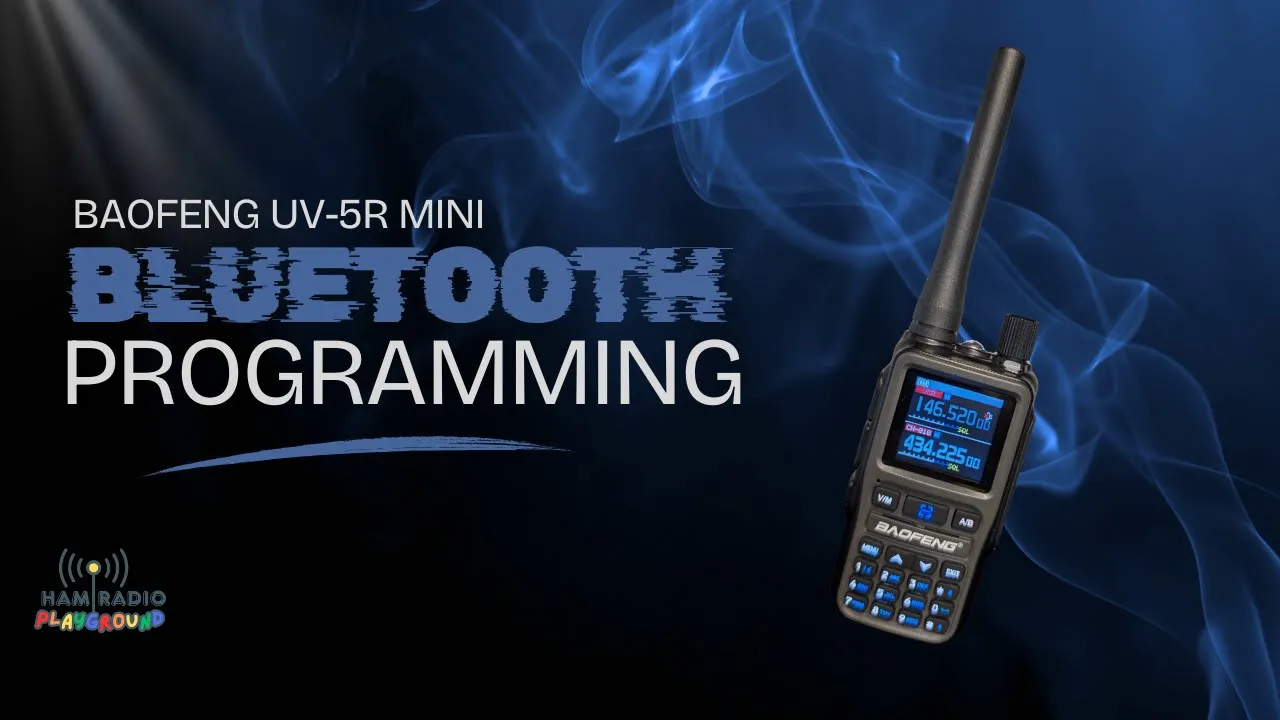
No cable. An Android tablet, the UV-5R Mini, and Ola Radio. He turns the tablet sideways once because the picture comes up the wrong way, then searches for the app. The book in the box has a QR code for Android and one for iOS. Either one opens the store. He cannot read the screen through the glare and moves the phone. The listing at the top is Baofeng Electronics. Install.
An account is optional in the sense that you can register, and once it exists you can log in on any device that has the app. Radios do not follow the login. Pair them on the phone and the tablet will not list them. Thunder and Lightning, named on the phone, will not be named on the tablet. He is about to show why the names exist. The wizard wants a scroll, Get started, and the terms. No agreement, no app. He logs into the account he already has and flips off the screen share before the password is visible. The keyboard had almost put it on camera. A new user hits Register: name, email, and he thinks an email check. Ads, including a green 5R Mini. Devices. Add a device. Not yet. The radio has to be on.
Wireless CPS
Menu. Wireless CPS is the fourth line. The menu key is OK. Turn wireless CPS on. The menu times out and he does it again. A mark at the top of the radio means Bluetooth is up. Add device. Allow Bluetooth. It finds walkie-talkie. Every one of these shows up under that name until you rename it. That is the reason for Thunder and Lightning. Connect. It asks what the device is. The list is not the list from the other day. A GMRS version is there, a 5G mini, and then the 5R Mini. Auto-detect called it a mini 5. The picture was a different radio. It still functioned. He picks 5R Mini because the picture matches the one in his hand. The card says turn on Bluetooth or connect OTG, select the walkie-talkie model, pair, and connect. He had to do those steps to reach the card. He checks the box that says he read them. Pair and connect. It connects.
Home is the wrong next button. The tablet does not have the radio’s channels until it reads them. Open the device. Read/write frequency, Bluetooth control, or off-grid communications. Read/write frequency. The program icon comes up on the radio. The channels from the CHIRP session are there. He is not editing yet. He wants this file on the tablet so Lightning can take it.
Frequency mode can set A against B. Function settings are the menu. Modify configuration is a page of channel numbers. Open one and you see receive and transmit, and you can type a note. It is not CHIRP. You cannot see the row the way CHIRP shows it. Switch to the list and it becomes a table. Channel one from the button view dumps you back in the old list. The table is the useful one. He reads a few. The only call he gets out cleanly is KD2CDY. The others are chopped. Save plan. It wants to save as the model that is already named 5R Mini, and it wants a name. He calls it 5R HRP. Ham Radio Playground. Confirm. Saved.
Lightning
He disconnects by turning Thunder off. Lightning on. No names. He scrolls the factory list, 11 and 12 included, all defaults. Menu, wireless CPS, OK, on. Bluetooth is up. Add device. Another walkie-talkie. Connect. Now two rows both say walkie-talkie and both say 5R Mini. The one he is on is the one that says connected. Three dots, device details, device name. This one is Lightning. Confirm. The list shows Lightning and walkie-talkie.
Open Lightning. Read/write frequency. Program icon. No channel names. Factory frequencies. He opens modify configuration and backs out. That is the wrong place. Plans. 5R HRP is there. He checks the names. Write to device. A legal and safety notice. He agrees. The radio flashes, an icon on the screen, because it is writing. It reboots. The names are on Lightning.
He wants one change on this radio and not in the plan. Mutton Hill should not be in the scan. The channel note is one place to say that. Scan is set to add. He can take it out of the scan or clear the channel. He turns it off and moves to the next channel. Write to device. A countdown, then the legal text again. Device not connected. Wireless CPS turned off when it rebooted. He goes back to the menu. Write fails again. Refresh does nothing useful. He adds the device, lets it scan, and connects. It should remember the 5R Mini. It does not keep the name. He said in the review that the Bluetooth app is buggy. On this tablet the buttons are not buried the way they are on the phone. He is showing the failure on purpose. Read/write again, because the app just pulled the radio and he has to remove the channel a second time. Channel 15. Delete. No tones. Confirm. Scanner off. Close. Write. Agree. It writes. Reboot. Wireless CPS is still on. He does not know why it remembered this time. He could save the result as a second plan. Profile, a community, invites, he thinks that part is for later. On the phone the three dots sit under the battery icon. The app does not rotate. An avatar crop puts the OK button under the clock and the battery, so you cannot finish the crop. The community features are not what he came for.
The Building Eats the Signal
He scrolls the memories. One of them should give him a squelch tail. He keys and identifies as KE2DFQ. Nothing comes back. Squelch is 3. It may be the building. Tail is option 24, and it was off. He turns it on. Still nothing. He may not be getting out. The other mini does not even show that this one is transmitting. He wonders if that is because they are on the same channel. Frequency mode between them works. The repeater does not. He had one of these radios out the night before, opened a repeater, and heard the tail. Side by side, these two will not pass a signal. The CHIRP video was a fast dump, about the first 15 rows, settings unchecked, so the video would stay short. The building is the same building. An end-fed and a 20-meter dipole on the ceiling read well and then refuse to transmit. He is not dressing the failure up.
Transcript
Bluetooth programming, UV-5R Mini, Android tablet, no wires. The tablet rotates the wrong way once. The app is Ola Radio, the official Baofeng app. The manual has a QR code for Android and one for iOS. He searches. Glare, then he can see it. Baofeng Electronics. Install. You can register. A login works on any device with the app. Devices do not move with the login. Pair on the phone and the tablet will not list them. Thunder and Lightning will not keep those names. The wizard: scroll, get started, agree. He logs in and kills the screen share before the password shows. The keyboard almost revealed it. A new account is name, email, and he believes an email check. Ads, a green 5R Mini, then devices, add a device.
Radio on. He cannot show the radio screen well. Menu, wireless CPS, fourth item, menu key as OK, wireless CPS on. It times out. He does it again. A Bluetooth symbol at the top. Add device, allow Bluetooth. It finds walkie-talkie. All of them are named that until you rename them. Connect. The model list changed. GMRS, a 5G mini, then the 5R Mini. Auto-detect said mini 5, wrong picture, and it worked anyway. He selects 5R Mini because the picture matches. Instructions: Bluetooth or OTG, walkie-talkie model, pair and connect. He already did that to get here. He confirms, pairs, and it connects. He has to read the radio onto the tablet. Open the device. Read/write frequency, not Bluetooth control and not off-grid. It reads. The program icon is on the radio. The CHIRP channels are there.
He can set A and B, and the function settings are the menu. Modify configuration is channel by channel, receive and transmit, a note, and not as clear as CHIRP. The list view is a table. One call he reads cleanly is KD2CDY. Save plan. It tries to use the name already there, 5R Mini. He names it 5R HRP. Ham Radio Playground. Saved. Thunder off, which disconnects it. Lightning on. Factory channels, no names. He scrolls past 11 and 12. Wireless CPS on. Add device. Another walkie-talkie. Now two identical rows. The connected one says connected. Three dots, device details, rename it Lightning. The list can tell them apart.
Read/write on Lightning. No names, factory frequencies. He opens the wrong screen, goes back to plans, opens 5R HRP, checks the names, and writes. Legal notice. He agrees. The radio flashes and reboots. Names are there. He does not want Mutton Hill in the scan, and he does not want that saved into the plan. The channel can take a note, leave the scan, or be cleared. Scan was set to add. He turns it off. Write. Countdown, legal text, device not connected. Wireless CPS turned off in the reboot. Write fails. Refresh fails. He scans and pairs again. It should remember the 5R Mini. The name is gone. He calls the app buggy. The tablet does not hide buttons the way the phone does. He deletes channel 15, no tones, scan off, and writes. It writes. Reboot. Wireless CPS stayed on this time. He could save another plan. Profile and community look like later features. On the phone the menu dots sit under the battery, the app will not rotate, and cropping an avatar hides the OK button under the status bar.
He tests a channel that should return a tail. KE2DFQ. Nothing. Squelch 3. Maybe the building. Option 24 is the tail and it was off. He turns it on. Still nothing. The other radio does not hear the transmission. Same channel, he thinks. Frequency mode between them works. The repeater does not. Last night one of them opened a repeater and he heard the tail. The CHIRP load was the first 15 or so rows, unchecked. The ceiling antennas, an end-fed and a 20-meter dipole, read well and do not get out of the building either. Video requests: hamradioplayground@gmail.com, or a comment.
Frequently Asked Questions
How do you turn Bluetooth on?
Radio on, menu, wireless CPS, fourth item, menu key as OK, wireless CPS on. If the menu times out, do it again. A symbol at the top means it is on. In the app, add a device and allow Bluetooth. It finds walkie-talkie. That is the name every one of these uses until you change it. He says that is why the radios need names.
Which model do you pick?
The list had changed since he used it. A GMRS version and a 5G mini were on it, then the 5R Mini showed up. Auto-detect said mini 5. The picture was a different radio and the session still worked. He selects 5R Mini because that picture matches. The instructions say Bluetooth or OTG, select the walkie-talkie model, pair, and connect. He had already done those steps. Pair and connect. Then open the device and choose read/write frequency. Bluetooth control and off-grid communications are the other buttons. The program icon means it is reading.
How did Lightning get Thunder's channels?
The tablet read Thunder, including the channels from the CHIRP video. The channel-by-channel view is weaker than CHIRP. A list view shows names. One he reads cleanly on that list is KD2CDY. He saves a plan called 5R HRP, for Ham Radio Playground. Thunder powers off, which is how he disconnects. Lightning powers on, factory channels, no names, wireless CPS on, add device, another walkie-talkie. Two devices then look identical. Three dots, device details, name it Lightning. Open the 5R HRP plan, check the names, write to device, and agree to the legal notice. The light flashes, it reboots, and the names are there.
What failed when he tried to use it?
He did not want Mutton Hill in the scan, and he did not want that change in the saved plan. Scan was set to add. He turns that channel off. Write again. The radio is not connected. Wireless CPS had turned off on the reboot. He scans, pairs again, and the name Lightning is gone. He calls the app buggy, same as the review. On the phone, the status bar covers buttons and the app will not rotate. He deletes channel 15, no tones, scan off, writes again. That time wireless CPS stays on. He keys KE2DFQ on a channel that should have had a tail. Squelch is 3. Option 24, the tail, was off. He enables it and still gets nothing. The other mini, on the same channel, does not hear him. Frequency mode between them does. The night before, one of them opened a repeater and he heard the tail. The building is the same problem as the end-fed and the 20-meter dipole on the ceiling. Those read fine and do not get out. The RepeaterBook paste was the first 15 or so rows, unchecked, to keep the CHIRP video short.