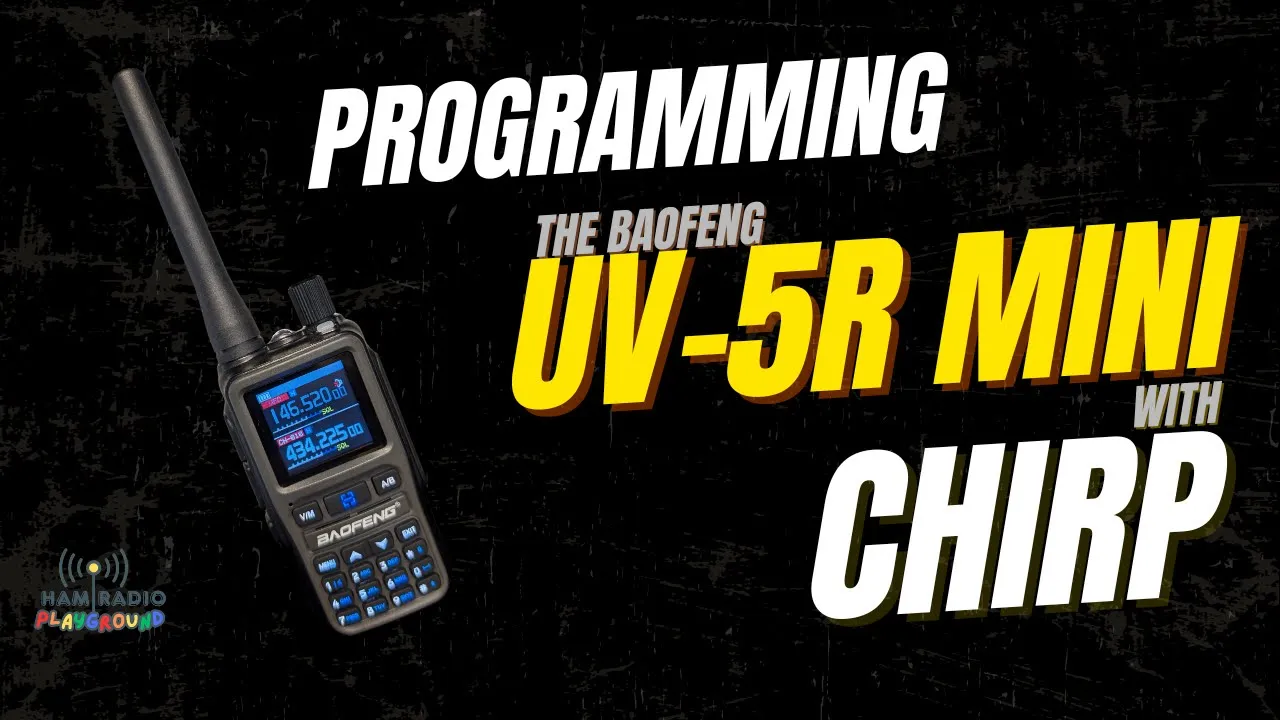
Thunder is the radio on the bench. Lightning is charging. The cable is a Prolific with a Kenwood plug, the same plug he uses across the Baofeng line. CHIRP has to list the radio, the program has to be installed, and the computer has to see the cable. The Bluetooth video is the sequel. This one is the wire.
COM 4, Then the Installer That Is Not an Ad
Device Manager first. Plug the cable in. The first time, give it a few minutes. His came up with no driver and a name, FT231X USB UART. That string is enough to search. The chipset is FTDI. He opened their driver page. When he got back, Windows had already loaded the right one. USB in, the list refreshes, COM 4. He had seen COM 1 and COM 3 on this machine before. He says COM 42 once and corrects it.
The site is chirpmyradio.com. Download Now is not the download. The big green button is not the download. Both are ads. One of them is labeled advertisement, and a small blue icon will say so. He does not want those installers on the computer. The real row is Get it: a penguin, an Apple, a Windows mark. CHIRP Next, latest version, still avoiding the side banners and the banner at the bottom. He takes the Windows installer. It lands in Downloads. The FTDI driver file is sitting there too, unused.
The installer asks permission on the other monitor. Yes, or CHIRP does not install. That monitor is vertical. He mentions a studio tour he has not done: printers in the back, a ham clock, ADS-B, awards, radios on the bench. License, default folder. The objection he answers is the one that says you should not connect CHIRP to a radio because you cannot see the code. It is open source. The repository is public. He is not worried. Finish, with Run CHIRP checked. The window opens behind another license. He agrees so he can move it. The wireless mouse fights him the whole time. Close Device Manager. Remember COM 4.
Factory Image, Then a Blank List
CHIRP can query RadioReference, RepeaterBook, a DMR source, and a couple of other sites once a file is open. He connects the radio first. The side jack is two plugs, different sizes, so they only go one way. Click them in. The cable is short. Radio on. Silence, because the speaker is the cable. The radio then turns itself off. Menu wakes it.
Radio, Download from radio. He wants a successful read before he tries a write. Port COM 4. Vendor Baofeng. Model UV-5 Mini. Beta driver. Save an unedited copy of the first good download to an image file. Accept the risk. Do not ask again for the UV-5R Mini. He thinks every radio in CHIRP says beta. OK. Another dialog: radio off, cable on, radio on, then download. He has already done the cable. Overhead, the screen says Program and shows a computer. The progress bar moves. It finishes.
File, Save As. A new folder under Documents, radio configs. The suggested name is the manufacturer, the model, and the date. He names it factory. That is the restore point. The radio’s own factory reset is the other one. Channels 1 through 21 are the preloaded list. Highlight them, right-click, delete. Save As again. Save, not Save As, would overwrite the factory file. He was not in the folder the first time he looked. The second file is UV5R HRP, so he knows it is the one from this video.
Settings are the keypad menu. Squelch is 3. Timeout is 120 seconds. Dual watch is off. The display can show a logo. Voice is English. Backlight: he looks for longer than the default and finds 20 seconds is the top. Auto key lock. Beep on. Roger beep off. Channel A and channel B both show the name. Save mode, the alarm, he scrolls and does not change them. There is a disable-FM-radio option he did not expect. Work mode has a default frequency, shift, power, bandwidth, and step for VFO A and for VFO B. DTMF labels are Chinese characters. He guesses at a numbering scheme and does not claim he can read them. Memories are the job.
Twenty Repeaters, Then the Write
RadioReference wants a username and a password. He is not set up in this install. The zip he types does not come through cleanly. The query fails. Not a premium subscriber. He logs in on the website. The username was right. The subscription expired in July. Thirty dollars a year. The expiry was 107 days ago. He renews on camera and tells you the card entry is off the useful part of the story. A number already stored was a physical card he has turned off. He uses virtual cards online. He fills the name on the card. After the real number is out of frame he jokes a fake one and tells you it will not work. The renewed account pulls a second tab: boats, railroad, police. A lot of that is P25 or another trunked system, and this mini will not decode it. Some fire and EMS dispatch is still in the open, and those channels also exist as talkgroups inside the trunked system. Hospital channels are in the list. Copy and paste works when you want one.
RepeaterBook is the pull he actually loads. He does not think it needs an account. This CHIRP is the install from a few minutes ago. Amateur service, not GMRS. Not Alaska. New York. Federal is in the list and he is not using it. Coordinates and a distance are optional. He limits the bands to 2 meters and 70 centimeters. FM only. No digital. The other checkboxes he names are open repeaters, digital modes, convert to FM, and include cache. The first result is another tab, unsorted. Westchester County does him no good. He closes it and runs the query again. The options stick.
Ham GPS on the phone had a fix by the window and lost it under the metal roof. The end-fed on the ceiling has the same problem. The idea was fine. It does not work in this building. The screen lock throws the fix away. He had paused the recording for a meeting. A memory upgrade for the computer arrived during the break. He is not installing it in the middle of the take. The next video should be less sticky. A browser location prompt is the substitute. Half the time that is an IP guess. His address often resolves to Albany, a couple of hours from Syracuse. This time it returns the specific address. He copies latitude, then longitude, including a minus sign if there is one. One hundred miles, not ten. The bands are already 2 meters and 70 centimeters. FM only. The new tab is sorted by distance.
He goes down to row 20. A couple of them he may delete later. Copy. Memory 1 on the UV-5R image. Paste. That is the whole transfer. He closes the browser because it is dragging the machine. File, Save, because this is already the HRP file.
Upload to radio uses the same port and the same warning. Turn the radio off, connect, turn it on, upload. He never unplugged it, and it is still on. Overhead, a frequency is on the screen. OK. The light flashes. Program mode. The bar finishes. The radio reboots while he is still on the computer view. VFO to memory. The name on the channel is Sentinel Heights, one of the repeaters in the paste. He scrolls. Call signs are on most of them. They are in the radio.
He asks if that is simple enough to do at home. Lightning gets the same list in the next video, over Bluetooth, no cable. Radioddity sent the pair. The address he gives for video requests is hamradioplayground@gmail.com, or a comment on any video.
Transcript
The UV-5R Mini is small enough that two hands are a joke. Cable in, CHIRP, Thunder on the bench, Lightning on the charger. The next video puts this same setup on Lightning with the Baofeng Bluetooth app. CHIRP needs a supported radio, the software, a way to connect, and the radio. His cable is a Prolific with a Kenwood jack. It fits a lot of radios and pretty much the whole Baofeng line.
Device Manager, then the cable. First use may need a driver. Give it a few minutes if it says the driver is missing. His identified as an FT231X USB UART. He searched, found an FTDI chipset, and opened FTDI’s driver page. Windows had loaded the right driver before he got back. Plugged in, the list refreshes, COM 4. He had COM 1 and COM 3 before. He says 42 and corrects himself to 4.
chirpmyradio.com. Download Now is an ad. The big green download is an ad. He says those links install nasty software. The advertisement label and a small blue icon will tell you. The real Get it button has a penguin, an Apple, and a Windows icon. The supported-radio list is on the homepage. Get it, then CHIRP Next. Stay off the side banners and the bottom banner. He downloads the Windows installer. Windows 11. It goes to Downloads. The unused FTDI driver is in that folder too.
The installer asks, on the other screen, if it may change the device. Yes. That screen is vertical. He talks about a future tour of the printers, the clock, ADS-B, and the bench. Next, accept the license or you do not get CHIRP, default path. Open source is his answer to the don’t-install-it crowd. The repo is public. Finish, run CHIRP. It opens behind another license. Agree, so the window can move. The wireless mouse misbehaves. Device Manager closes. COM 4 is the number to remember.
Query source can hit RadioReference, RepeaterBook, DMR, and other sites after a config is loaded. He connects the radio. Two jack sizes, so the plugs only fit one way. Firm click. The cable does not reach the way he wants. Radio on, no audio, because the cable has the speaker. It powers itself off. Menu brings it back. Radio, Download from radio, so a bad cable fails before a write. COM 4, Baofeng, UV-5 Mini. Beta. Save an unedited first download as an image. He accepts and disables the prompt for this model. He thinks every radio says beta. The instruction dialog says off, connect, on, download. Overhead, Program and a computer icon, then the bar. Done.
File, Save As, a new Documents folder called radio configs. He replaces the default manufacturer-model-date name with factory. That is the backup. Factory reset on the radio is the other restore. Channels 1 through 21 get highlighted and deleted. Save As again, not Save. He had the wrong folder open for a second. The file name is UV5R HRP.
Settings match the radio menu. Squelch 3. Timeout 120 seconds. Dual watch off. Logo, English voice, backlight. Twenty seconds is as long as it goes. Auto key lock, beep on, Roger beep off, both channels showing the name. He is not changing them. Disable FM radio is in there. Work mode has the VFO defaults, shift, power, bandwidth, and step, plus DTMF labels in Chinese characters. He goes back to memories.
RadioReference needs his login. The zip does not come through cleanly and the query says he is not premium. On the site the username is right. The subscription expired in July. Thirty dollars a year, 107 days ago. He renews. A stored card is a physical card he has suspended. He uses virtual cards. He fills the cardholder name. Off camera he finishes the real number, then jokes a fake one and says it will not work. The pull opens a tab. Boats, railroad, police. Trunked and P25 traffic will not decode on this mini. Some fire and EMS dispatch is in the clear, and those channels also live as talkgroups. Hospital frequencies are in there. Copy and paste is the move.
RepeaterBook does not need an account as far as he knows. Fresh CHIRP. Amateur, not GMRS, New York, not Alaska. Federal is available. Coordinates and distance are optional. He limits to 2 meters and 70 centimeters, FM, no digital. He names the other filters and runs it. Another tab, unsorted. Westchester is useless. He closes it. The options remain. Ham GPS had a fix at the window and lost it under the metal roof. The ceiling end-fed fails the same way. The phone’s lock screen clears the fix. He had a meeting mid-recording. Memory for the PC arrived. He will install it after, so the next video is quicker. A browser asks for location. IP guesses have put him in Albany, a couple of hours from Syracuse. This one returns his address. Latitude, then longitude, minus sign included. One hundred miles, not ten. Bands and FM already set. The list is by distance.
Copy through row 20. Paste at memory 1 on the mini. He closes the browser. Save, on the HRP file. Upload to radio, same dialog. The radio never got unplugged and it is still on. Overhead, then OK. The light flashes, program mode, the bar, a reboot he mostly misses. Memory mode. Sentinel Heights is the name on a channel. Call signs are on most of the rest. That is the programming. Lightning and Bluetooth are next. Radioddity sent the radios. Video ideas can go to hamradioplayground@gmail.com or a comment.
Frequently Asked Questions
Which buttons on the CHIRP site are the download?
Not Download Now, and not the large green download. He says those are ads, marked if you click the little icon, and they can install garbage. The real control is Get it, with a penguin for Linux, an Apple for Mac, and a Windows logo. On the next page, CHIRP Next, and the installer that matches the computer. He is on Windows 11. Default install path. Open source, so the repo is the answer he gives to people who will not install it.
What did the radio warning say?
Download from radio, COM 4, vendor Baofeng, model UV-5 Mini. The driver is beta. Save an unedited copy of the first good download as an image before you edit. He accepts, and he turns off the prompt for this model. He thinks CHIRP says beta on every radio. The radio shows Program and a computer icon while it reads. File, Save As, a new folder he calls radio configs, and the name factory, instead of the default manufacturer-model-date name. Factory reset on the keypad is the other way back.
How did he fill the memories?
He deleted channels 1 through 21, then Save As, not Save, so the factory file stayed. The new file is UV5R HRP. RadioReference failed until he renewed. The username was right. The subscription had ended in July. RepeaterBook is amateur, New York, not GMRS, FM only, 2 meters and 70 centimeters. The first pull had no distance sort, and Westchester County was noise. Ham GPS died under the metal roof, the same roof that kills the end-fed on the ceiling. A browser location request hit his address. He has seen that request land in Albany, a couple of hours off, when it trusts the IP. He set 100 miles, not 10, copied through row 20, and pasted at memory 1. Save. Upload to radio. Sentinel Heights was the name on the first memory he checked.
What settings were already in the image?
Squelch 3, a 120-second timeout, dual watch off, English voice, a logo on the display, backlight no higher than 20 seconds, beep on, Roger beep off, both channels set to show the name. There is a switch to disable the FM broadcast radio. VFO A and B have a default frequency, shift, power, bandwidth, and step. The DTMF labels are Chinese characters. He left the settings alone. Lightning was on the charger. The next video is the same list over Bluetooth.