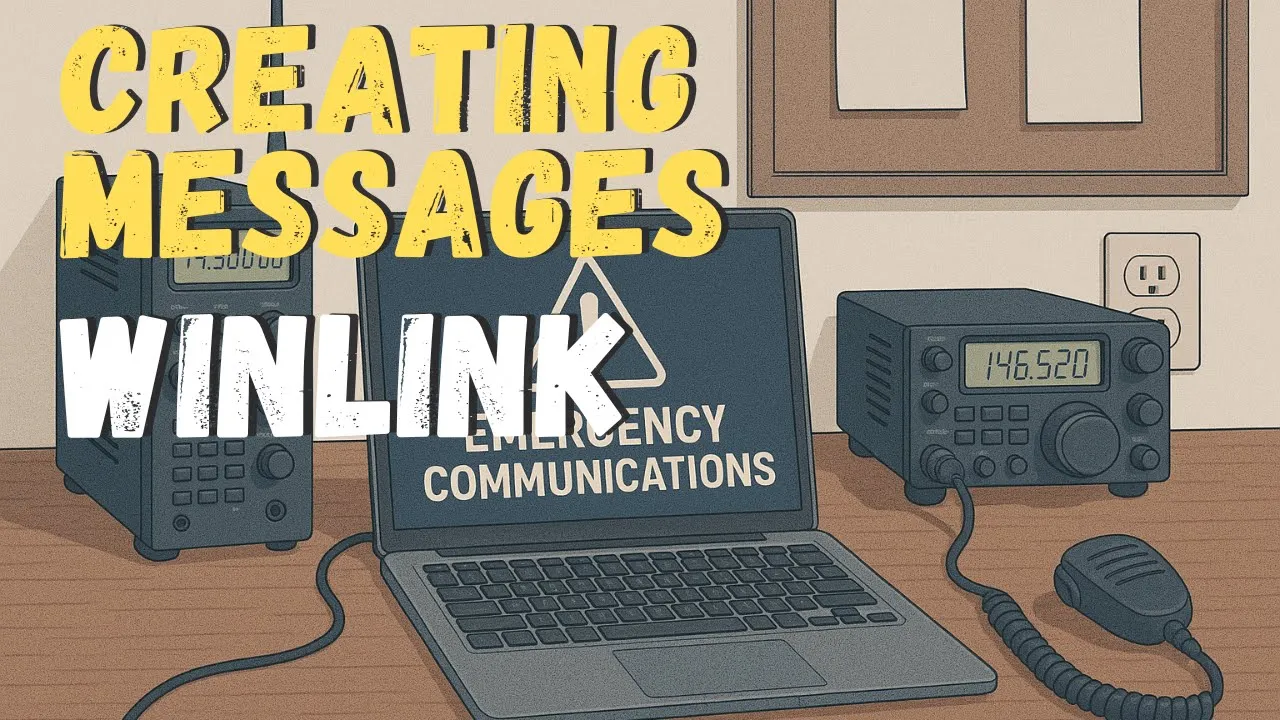
The install video left an empty inbox. This one writes three messages and only sends two of them. The third is peer-to-peer, and telnet will not touch it.
The Compose Window
System folders match ordinary mail. Inbox, outbox, sent, drafts, deleted. He mentions Gmail and Yahoo as the picture, not as a requirement. Message, New message. His call sign is already filled in from setup. The buttons are post to outbox, select a template, attachments, spell check, save to drafts, and close.
The send-as menu defaults to a Winlink message. Radio-only and peer-to-peer are the other choices. Peer-to-peer means one other operator. You agree on a frequency, the computers connect over the radio, and the message moves between those two stations. A Winlink message sent over that kind of connection does not arrive. A Winlink message is looking for a Winlink server. Peer-to-peer works when the station you connected to is the person you addressed, or is allowed to take mail for another call.
A receipt works like email. To, CC, subject, attachments. He keeps the first one small. The recipient is someone who checks Winlink often enough to answer. He puts John there, at K2VTT. A call sign is fine. A regular email address is fine, if the session reaches a Winlink server that is on the internet. Inbound internet mail is covered in another video. Spam control means the sender has extra steps, or they have to be in your contacts. Contacts can also be managed on the Winlink website.
Subject: a test from the Winlink training video. Body: hello John, this is a test from the training series, 73, KE2DFQ. No attachment. Drafts would hold it if he were waiting on more information. He is done. Post to outbox. That is a queue, not a transmission. The next Winlink session is what sends it, because he marked it as a Winlink message.
Peer-to-Peer, Then a Check-In Form
New message, type set to peer-to-peer, same station, K2VTT. The subject is the P2P test for the training series. The body says it is a peer-to-peer test, and he apologizes for filling John’s mailbox. 73, KE2DFQ. The signature is optional. The message already shows who sent it, the way email does. Post to outbox. Two messages are waiting, one of each type.
The third stays a Winlink message and uses a template. The install video downloaded a forms pack and said it would ask again when forms change. Select template. Global templates are for a larger network’s internal forms, or for forms he made himself. Standard templates are the plus sign, then the list: ARC, California, Canadian forms, FEMA, general, medical, Hawaii, and more. He opens general forms and double-clicks Winlink check-in.
It opens in a browser. He says not to panic. It will not send the web page. The fields become a text version. He calls it Winlink training. Date and time are already filled. To: K2VTT. From him. The patient-contact line gets his initials. He does not read the initials out. It is an exercise, not a real event. Amateur, not the SHARES network. The band list includes HF, VHF, UHF, and SHF. The session list he reads is telnet, packet, PACTOR, a robust mode, VARA HF, VARA FM, Iridium, GO, and mesh. He says Winlink can ride all of those, and this series is telnet, VARA HF, and VARA FM. He sets the band to telnet and the session to telnet, and he will say why when they transmit.
The group line is Onondaga County ARES. Latitude and longitude come from his grid square. The comment is that this is a test for the training series, showing the form. Save check-in data would let him load it later, like a draft. There is a place for more agency or group title. He does not need it. Submit. The form closes, the message subject fills in, and the body is the text of what he typed, with a text file and an XML file attached. Post to outbox. That form is what John will see.
He breaks in with an offer. If you need a station that will actually answer a test, use KE2DFQ. He spells it kilo echo 2 delta foxtrot quebec. He will reply when he gets it. Sending into a mailbox nobody checks does not prove the path.
Telnet Sends Two
Three messages sit in the outbox because nothing has connected. If the computer is on the internet, telnet is the path. A radio path depends on the rig. An Icom 7300 is a USB cable. A Xiegu X6200 is USB, straight in. A Yaesu 891 needs a Digirig or another sound card. He holds up a USB sound-card adapter. Signalink is another. RigBlaster is another. Some radios want their own cables. A rig with USB on the back is the easy case. The radio videos are later. This session is telnet. He compares it to a dial-up modem. The mail did not move until the modem connected. Telnet uses the internet. VARA uses the radio.
Two of the three messages are Winlink messages. One is peer-to-peer. The session list is split the same way. He opens a telnet Winlink session. It checks the internet and says it is ready. Settings, for an average user, can stay put. A relay is a private network with one machine on the internet. That machine needs more Winlink software, the sysop downloads from the install video. Automatic connect, so send and receive happen on a schedule, stays off. He uses several computers and wants to decide when it runs. Background monitoring that would upload the outbox immediately stays off. He can see turning that on if you live in forms and need them to leave the moment you post. He is training. Update writes the settings.
Start. It connects. The log is the handshake. His call, messages to send, and one waiting for him. It sends two and receives one. He had not connected since the day before. That incoming message was from a local ARES and RACES practice of the same material. Exit. The outbox still has one message. The peer-to-peer one. It waits until he and John are on the radio, on a clear frequency they both chose, with the two computers linked. The plain message and the form, attachment included, are gone from the outbox. The inbox has the message that came in.
The next video is VARA HF and VARA FM, with the radio settings. If FT8 or FT4 in WSJT-X is already working, the interface is probably done. VARA and Winlink are the configuration on top. If that link does not exist yet, the cables come first.
Transcript
The series continues with creating a message, a message from a form, a peer-to-peer message, and the ways those messages actually leave. The inbox is empty. Install was the previous video. He wants VARA HF and VARA FM on the machine too, so there is a way to move mail later. System folders work like Gmail or Yahoo or any other mail: inbox, outbox, sent, drafts, deleted.
Message, New message. His call sign is already in the form. Post to outbox, select template, attachments, spell check, save to drafts, close. The type defaults to a Winlink message. Radio-only and peer-to-peer are the other choices. Peer-to-peer is one other operator. You pick a frequency, the computers connect over the radio, and the message goes between you. Send a Winlink message over a peer-to-peer connection and they will not get it. That message is looking for a Winlink server. Peer-to-peer works if the station you reached is the addressee, or is allowed to receive for another call.
He starts with a Winlink message. A receipt is optional. To, CC, subject, attachments. He keeps it simple and picks someone who checks Winlink often. John, and the call he uses once the form is open is K2VTT. A call sign works. A normal email address works if the server you reach is on the internet. Internet users can also write into a Winlink inbox. That path, and the spam controls, are another video. The sender needs extra steps, or they need to be in your contacts. Contacts can be edited on the Winlink site.
The subject is a test from the training video. The body is hello John, a test from the series, 73, KE2DFQ. No attachment. Drafts are there if the message is not finished. His is finished. Post to outbox. Nothing is transmitted. It is queued for the next time a Winlink session connects.
He starts another message, sets the type to peer-to-peer, and addresses John again at K2VTT. Subject is the P2P training test. The body says it is a peer-to-peer test for the series, and that John will love the extra mail. 73, KE2DFQ. The signature is optional. The header already says who sent it. Post to outbox. Two messages are waiting.
A third message stays a Winlink message. Select template. The install video pulled a forms update and said new forms will prompt again. Global templates are a network’s own forms, or forms he created. Standard templates: ARC, California, Canada, FEMA, general, medical, Hawaii, and more. General forms, Winlink check-in, double-click. A browser opens. It will not send the page. The fields become text. He titles it Winlink training. Date and time are filled in. To K2VTT. From him. Initials on the contact line. An exercise, not a real event. Amateur, not SHARES. He could pick HF, VHF, UHF, or SHF. The session list he reads includes telnet, packet, PACTOR, a robust mode, VARA HF, VARA FM, Iridium, GO, and mesh. This series is telnet, VARA HF, and VARA FM. He sets band and session to telnet. The group is Onondaga County ARES. Latitude and longitude come from the grid square. The note says it is a training test of the form. Save would store it like a draft, with a button to load it back. Extra agency or group title is optional. He submits. The form vanishes into the message, subject filled, body filled, a text file and an XML file attached. Post to outbox.
He stops to offer his own call for anyone who needs a test that will be answered. Kilo echo 2 delta foxtrot quebec. KE2DFQ. He will reply when he sees it. A station that never checks does not prove anything.
Three messages are queued and nothing has connected. Telnet works if this computer is on the internet. Radio setups differ. His Icom 7300 is a USB cable. The Xiegu X6200 is USB, direct. The Yaesu 891 needs a Digirig or a sound card. He shows a USB sound-card adapter. Signalink, RigBlaster, sometimes a special cable. A radio with USB on the back is the easy one. Radio setup is a later video. Today is telnet. He compares it to dial-up. Mail waited until the modem connected. Telnet is the internet. VARA is the radio.
Two Winlink messages, one peer-to-peer, and the session menu is split the same way. He opens telnet Winlink. It checks the internet and says ready. Settings do not need a change for a normal user. A relay is one internet-connected machine on a private network, and it needs more Winlink software, the sysop downloads. Automatic send and receive on a schedule stays off. He uses several computers and wants control of the timing. Background upload of whatever hits the outbox stays off. That is useful if forms have to leave immediately. He updates, then starts. It connects, sends, and he receives a message from yesterday. He had not connected since a local ARES and RACES practice. The session log is his call, mail to send, and one message waiting. Two go out. One comes in. Exit.
One message is still in the outbox. The peer-to-peer one. It needs John on the radio, a clear frequency they both use, and the two computers linked. The other two, including the form and its attachment, went. The inbox has the new message. Next time is VARA HF and VARA FM. If WSJT-X is already doing FT8 or FT4, the radio interface is probably in place and VARA is configuration. If not, the cables come first.
Frequently Asked Questions
What is the difference between the message types?
Winlink message is the default. It is looking for a Winlink server, including over telnet. Peer-to-peer is two operators who agree on a frequency and connect their computers over the radio. If you send a Winlink-type message during a peer-to-peer connection, the other station does not get it. Peer-to-peer delivers when the station you connected to is the recipient, or is allowed to receive for another call. Radio-only is the third type on that menu. He does not build one in this video. A read receipt is optional, same idea as email. To, CC, subject, and attachments are there. Spell check and save to drafts are on the compose window.
Who did he write to, and what did the form say?
John, K2VTT, because John checks Winlink often enough to answer. A call sign or a normal email both work if the path reaches a Winlink server on the internet. Mail from the internet back into Winlink needs extra spam controls, or the sender has to be in your contacts, including contacts added on the Winlink website. The check-in template is under standard forms, general forms, Winlink check-in. It opens in a browser and does not send as a web page. He sets the title as Winlink training, leaves the date and time it filled in, sends it to K2VTT, marks it an exercise rather than a real event, chooses amateur rather than SHARES, and sets both the band and the session to telnet. The group line is Onondaga County ARES. Latitude and longitude fill in from his grid square. The comment says it is a training-video test of the form. Other session choices he reads are HF, VHF, UHF, SHF, packet, PACTOR, a robust mode, VARA HF, VARA FM, Iridium, GO, and mesh. This series is telnet, VARA HF, and VARA FM.
What did telnet actually move?
Three messages were queued. He opened a telnet Winlink session. The average user changes nothing. A relay is for a private network where one machine has the internet and needs extra Winlink software, the sysop tools from the install video. He leaves automatic send and receive off because he uses more than one computer and wants to choose the moment. Background upload of the outbox stays off. That switch is for people who process forms and want them to leave immediately. Start connects, sends the two Winlink messages, including the one with the form attached, and receives a message from the day before. He had not connected since a local ARES and RACES practice. The peer-to-peer message is still in the outbox.
What radio hardware does he name, without setting it up?
An Icom 7300 on a USB cable. A Xiegu X6200, also USB, straight in. A Yaesu 891, which needs a Digirig or another sound-card interface. He holds up a USB sound-card adapter. Signalink and RigBlaster are the other names. Some radios want their own cables. If you already run FT8 or FT4 in WSJT-X, the computer is probably already talking to the radio, and VARA is a configuration on top of that. He saves the radio sessions for the next video.